What is Saucebase?
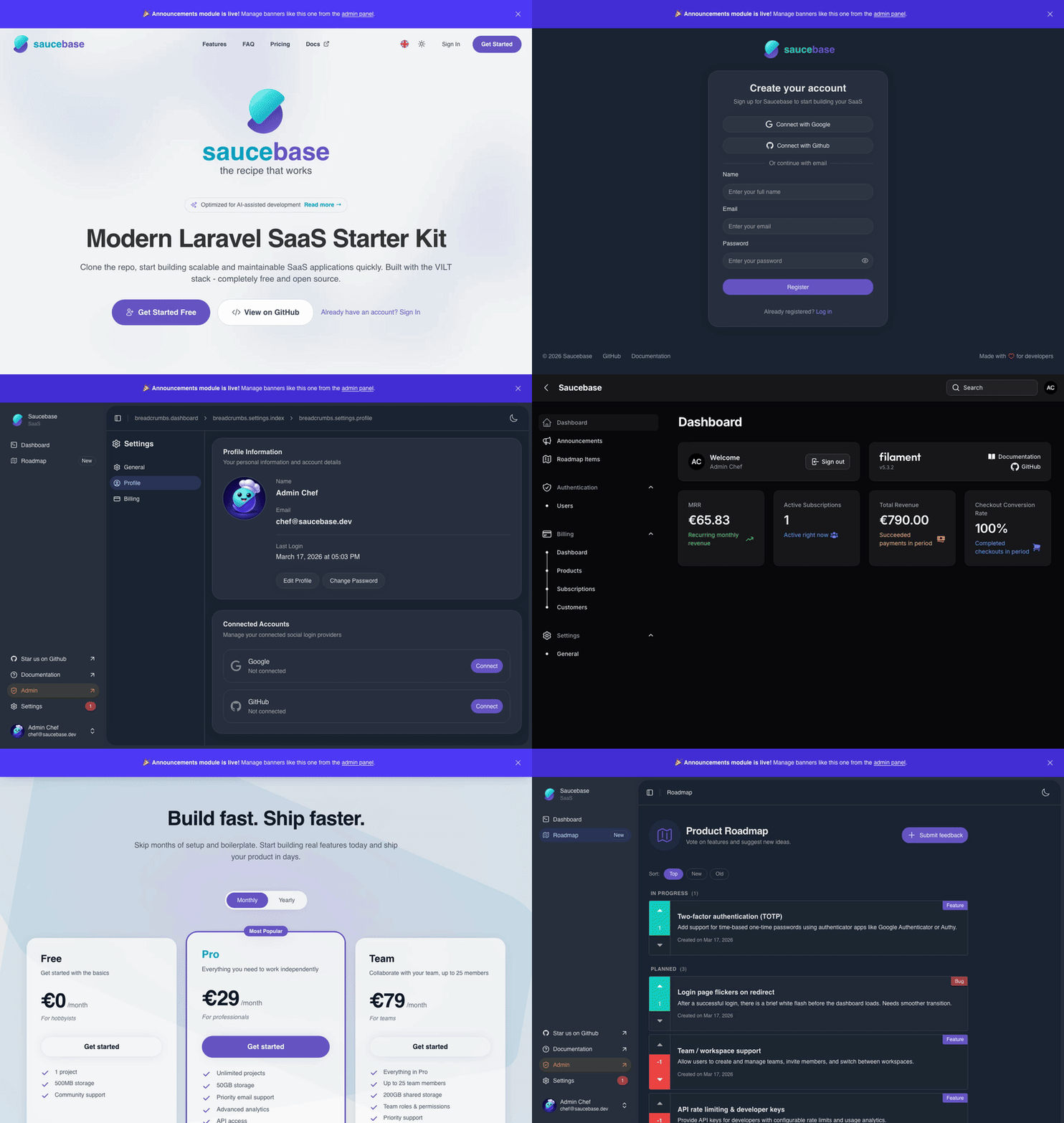
Saucebase is a modular Laravel SaaS starter kit built on Laravel, Inertia.js, and Tailwind CSS — with your choice of Vue 3 or React as the frontend framework. Unlike traditional starter kits that trap you in vendor packages, Saucebase gives you complete ownership of the code.
When you install Saucebase modules, they copy directly into your repository - not as external dependencies. You own every line of code and can modify, refactor, or rebuild features to match your exact needs. It's a foundation you control, not a framework you're locked into.
Saucebase provides everything you need to build production-ready SaaS applications: authentication, user management, subscriptions, admin panels, and more - all with modern tooling and best practices built in.
Why Saucebase?
Building a SaaS means solving the same problems every time: authentication, billing, admin panels, code quality, deployment pipelines. Saucebase solves all of that before you write a single line of your own logic — giving you months back and a production-ready foundation to build on.
The result: you focus entirely on what makes your product unique.
Copy-and-Own Philosophy
Like shadcn/ui, modules install directly into your repository, not as external packages.
Traditional vs Saucebase approach:
composer require vendor/auth-package   # → Stuck in vendor/, can't modify
composer require saucebase/auth        # → Copied to modules/auth/, you own it
What this means for you:
- Yours from day one — every file, class, and migration lives in your repository. Read it, understand it, adapt it.
- Change anything, any time — custom fields, different validation, new relationships: just edit the file. No workarounds, no override ceremonies.
- You decide when to update — upstream improvements are always available to pull in. You choose what fits your product and when.
- Full visibility into your codebase — no black-box dependencies to trace. When something needs fixing, you know exactly where to look.
When you install a Saucebase module, you're not adding a dependency. You're acquiring source code. From day one, you control the roadmap, the updates, and the architecture.
Key Features
Saucebase gives you a production-ready SaaS architecture — scalable, secure, extensible, and high-performance — with the tooling and automation to ship fast and stay confident as you grow.
Modular Architecture
Modules are self-contained features that install into your codebase. Each module includes everything it needs - models, migrations, controllers, views, tests - and lives in your modules/ directory where you can modify it freely.
Modern Development Experience
Saucebase ships a complete development environment so your team is productive from day one:
- One-command setup —
curl -fsSL https://install.saucebase.dev | bashhandles everything: PHP/Composer, Docker containers, SSL certificates, database, assets. Be running in minutes, not hours. - Instant hot reload: See your changes immediately in the browser with HMR (no page refresh needed)
- Type-safe routes: Ziggy generates TypeScript helpers from your Laravel routes, so you get autocomplete and type checking
- SSR when you need it: Enable server-side rendering for specific pages to improve SEO and performance
Production Ready
Saucebase includes everything you need for production deployments:
- Code quality tools: PHPStan level 5, Laravel Pint, and ESLint ensure clean, consistent code
- Comprehensive testing: Playwright for E2E testing, PHPUnit for backend tests, all pre-configured
- Admin panel: Filament 5 admin panel included with beautiful UI and powerful tools
Technology Stack
Saucebase uses cutting-edge tools that make development enjoyable:
| Category | Technologies |
|---|---|
| Backend | Laravel 13 with PHP 8.4+ • Filament 5 admin panel |
| Frontend | Vue 3 Composition API • TypeScript 5.8 • Inertia.js 3.0 • Tailwind CSS 4 • shadcn-vue components |
| Dev Tools | PHPStan level 5 • Laravel Pint & ESLint • Playwright E2E testing • Commitlint for conventional commits |
Quick Start
You can get Saucebase running in just a few minutes — no local PHP required:
curl -fsSL https://install.saucebase.dev | bash
The CLI walks you through the rest: environment driver (Docker or native), frontend framework, and modules.
The bootstrap installs PHP/Composer if missing, installs the saucebase CLI, then runs the full install flow — Docker containers (MySQL, Redis, Mailpit) or a native setup, SSL certificates if requested, migrations, and frontend assets.
Modules are self-contained features that install into your codebase. You can use the pre-built ones or create your own, and the CLI's module prompt during saucebase new/saucebase install handles picking, requiring, and migrating them for you.
If you prefer to install a single module manually into an existing app:
composer require saucebase/auth
php artisan migrate
php artisan modules:seed --module=auth
npm run build
Available Modules
Auth
Complete authentication system with login, registration, magic link (passwordless), password reset, email verification, and OAuth integration (Google, GitHub).
Billing
Subscription management and payment processing via Stripe with checkout sessions, billing portal, invoices, and webhook processing.
Roadmap
Public roadmap with feature requests, voting, moderation, six statuses, and a Filament admin panel.
Announcements
Site-wide announcement banners with scheduling, audience targeting, and cookie-based dismissal — managed from the Filament admin panel.
Themes
Visual theme editor for designing your app's colors, fonts, radius, and shadows. Pick a built-in theme or build your own, then bake it into CSS — no runtime overhead.
Blog
Full-featured blog with posts, categories, tags, and a Filament admin panel for content management.
Webhooks
Send reliable HTTP callbacks to external services when events occur in your app, with delivery logs and retry handling.
Integrations
Connect your app with third-party services like Slack, Zapier, and more through a unified integration layer.
Notifications
In-app and email notifications with templates, user preferences, and delivery tracking for every channel.
Analytics
Track pageviews, custom events, and user behavior with a privacy-friendly built-in dashboard — no third-party scripts.
Check out our module creation guide to learn how to build custom modules for your specific needs.
What's Next?
Ready to dive deeper? Here are the key resources to explore:
- Installation - Complete installation and configuration guide
- Architecture - Understand how Saucebase works under the hood
- Modules - Learn to work with and create modules
- Development - Daily development workflow and commands
- Reference - Glossary and troubleshooting guides
Ready to own your SaaS foundation? Head to Getting Started →