Announcements Module
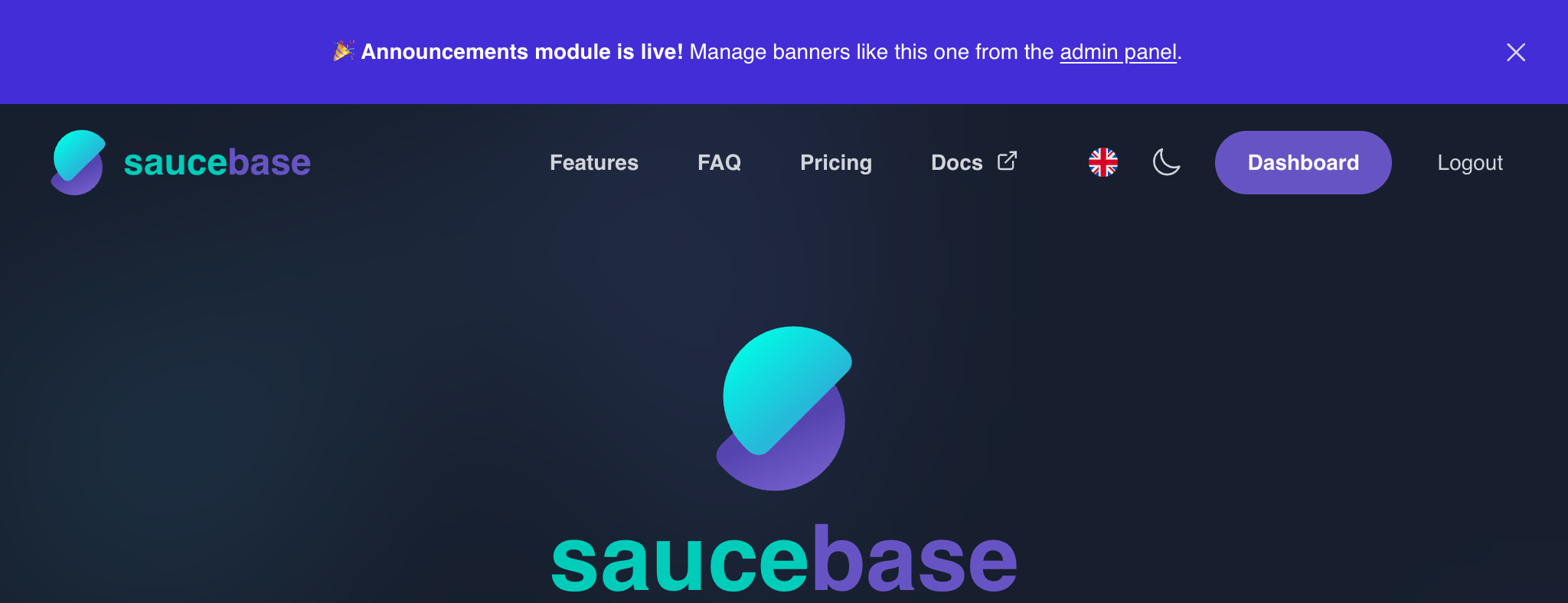
The Announcements module lets admins create site-wide banners that appear fixed at the top of every page, above the navigation. Banners support scheduling, per-audience visibility, and optional cookie-based dismissal.
What you get
- Announcement banner — fixed bar at the top of every page, above the nav
- Filament CRUD — create, edit, and delete announcements in the admin panel
- Rich text — bold, italic, underline, strike, links, and lists via the built-in editor
- Scheduling — set
starts_at/ends_atto control when a banner is live - Audience targeting — show on public pages, authenticated pages, or both
- Dismissal — cookie-based, SSR-safe. Once dismissed, the banner stays hidden for one year. No database writes.
Installation
composer require saucebase/announcements
php artisan migrate
php artisan modules:seed --module=announcements
npm run build
Admin panel
Navigate to /admin → Announcements in the left navigation to manage banners.
Use the New announcement button to create one. The form includes a rich text editor for the banner content and toggles for visibility and scheduling.
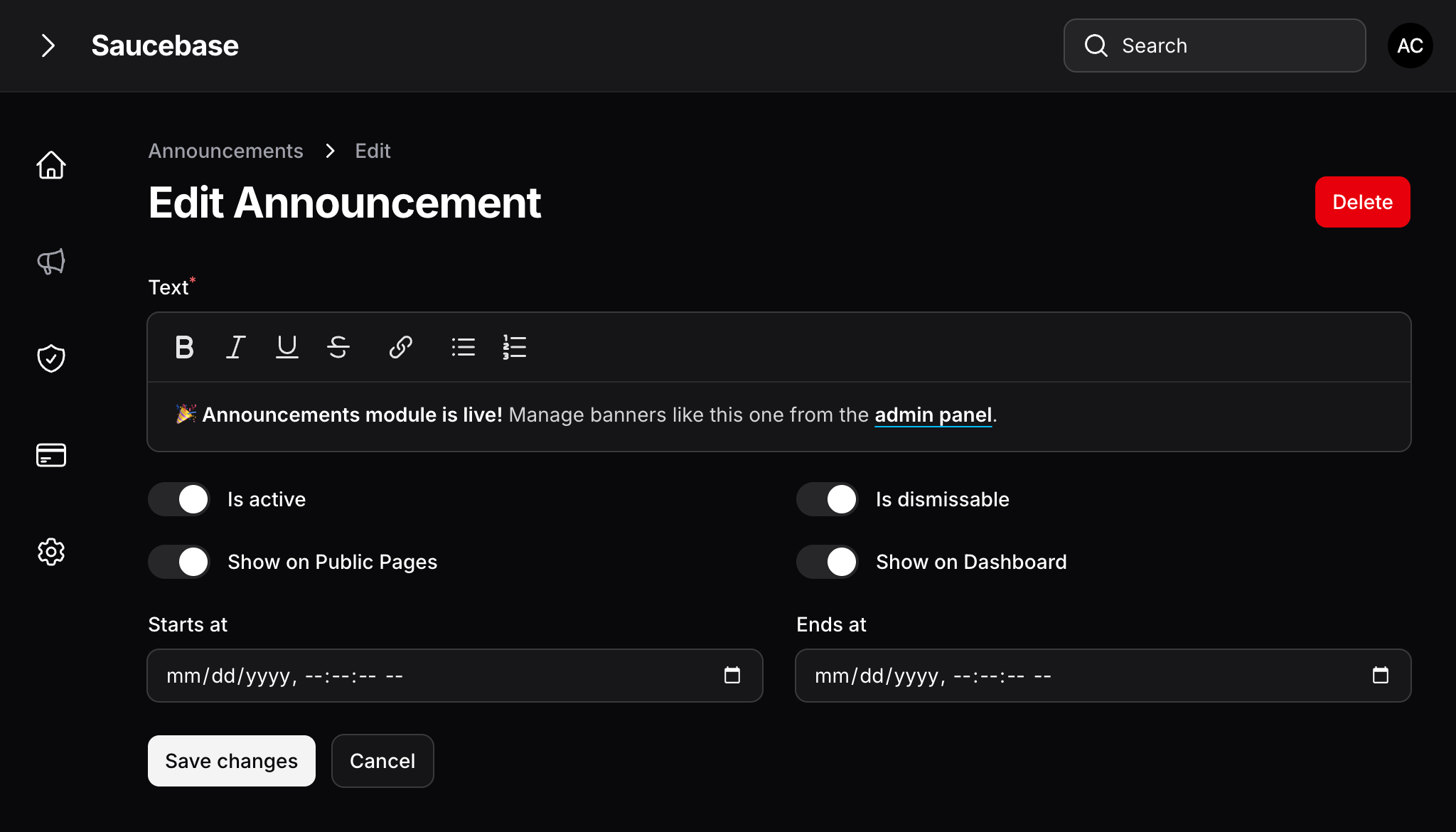
Only one announcement is shown at a time — the most recently created active announcement within its schedule window.
Frontend behavior
The banner renders as a fixed indigo bar at the top of every page.
show_on_frontend = false— hidden for guestsshow_on_dashboard = false— hidden for authenticated users- Both enabled — shown to everyone
The banner is only displayed when is_active is true, starts_at is null or in the past, and ends_at is null or in the future. Evaluated on every request — no cron job needed.
When is_dismissable = true, a ✕ button appears in the banner. Clicking it sets an announcement_dismissed cookie (1-year expiry, no DB writes). A new announcement with a different ID will show again regardless of the dismissed cookie.
Configuration
| Field | Default | Description |
|---|---|---|
text | — | The announcement content. Supports rich text: bold, italic, underline, links, and lists |
is_active | false | Whether the announcement is live |
is_dismissable | false | Show a dismiss (✕) button to users |
show_on_frontend | true | Display on public (unauthenticated) pages |
show_on_dashboard | true | Display on authenticated pages (dashboard, etc.) |
starts_at | null | Optional start time; banner hidden before this date |
ends_at | null | Optional end time; banner hidden after this date |
Testing
php artisan test --testsuite=Modules --filter=Announcements
npx playwright test --project="@Announcements*"